Problem
Behind almost every 3D model built from photos there’s a Structure from Motion step: a SLAM map, a photogrammetry survey of a building, a Gaussian splat. Starting from individual photos, it works out where each one was taken from and the 3D shape of what they show. The tool almost everyone uses for it is COLMAP.
Using COLMAP is easy. Understanding what goes on inside it, less so. So I decided to build my own library from scratch, complete and usable by anyone, with three goals:
- Understand the whole process on a real scene: Valencia Cathedral, seen from the Plaza de la Virgen. From taking the photos to calibration and 3D reconstruction.
- Watch it happen live, in an interactive interface that shows the model being built, camera by camera, as it’s computed.
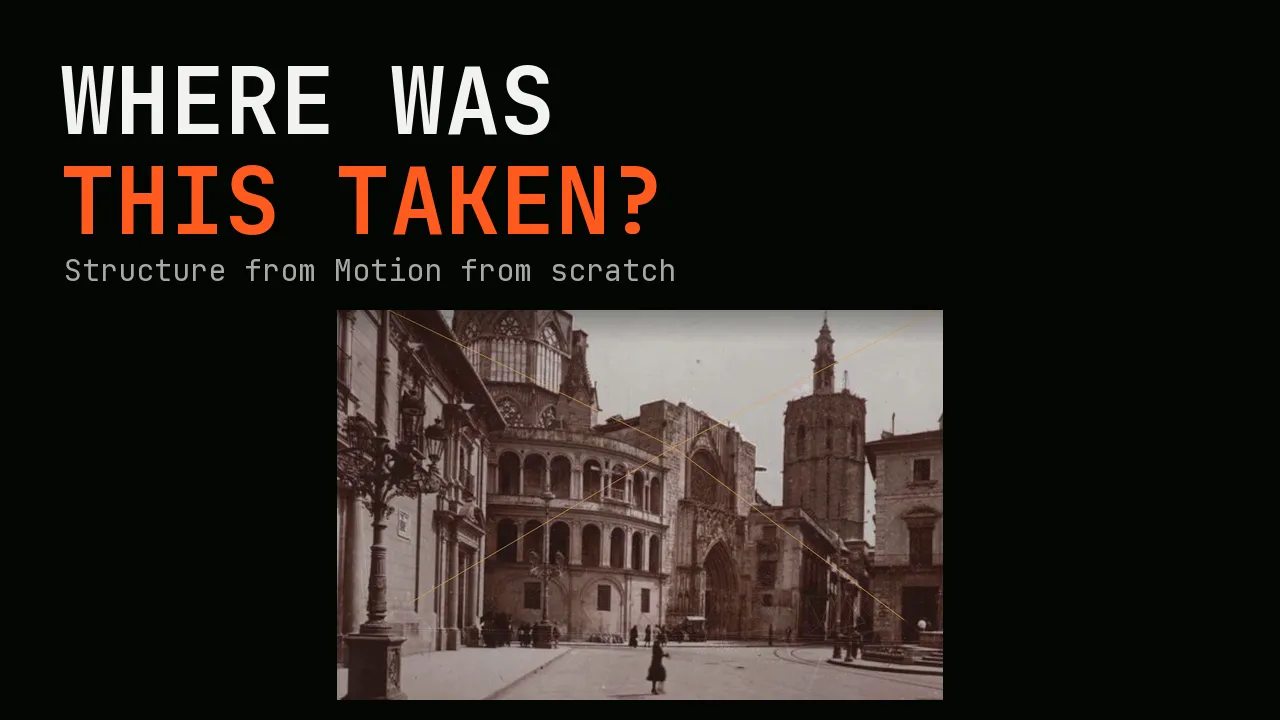
- Put it to the test with a historical photo of the same square. Where was it taken from, with what kind of camera, and what has changed since?
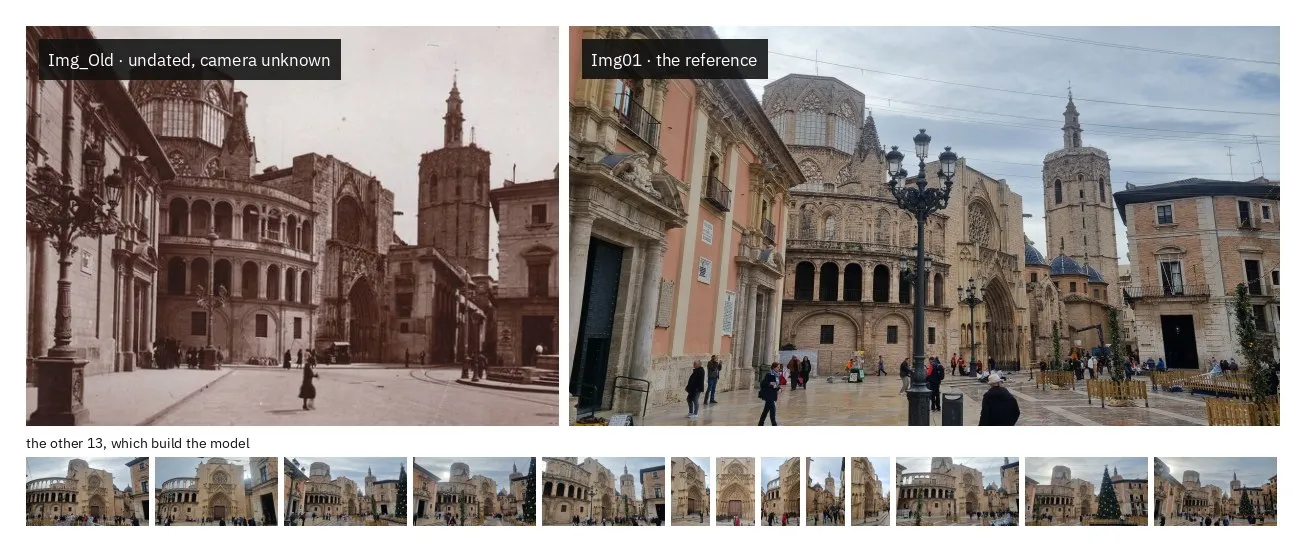
Historical photo: Archivo Huguet.
That last goal is the hard one. Everything is known about the phone’s camera; about the old one, nothing. Knowing where it was taken from isn’t enough. You also have to work out what the camera was like: its focal length and the centre of the image, which shifts if the photo has been cropped. It has to be placed without its errors skewing what has already been reconstructed, namely the phone’s 14 cameras and their 3D points. And on top of that, over so many years the light and the tones change, and that mustn’t be mistaken for a real change.
Constraints
- Measured against the reference. Every result is compared with COLMAP, run from scratch on the same photos. They share nothing else, neither the points nor the matches. If they agree, it’s because both have seen the same square.
- No black box. The process can be watched live, camera by camera, as it’s computed. And watching must come at no cost: if the viewer crashes, the reconstruction carries on.
- Easy to install and use on your own photos. It installs the same way with or without a GPU, and with Docker too. For a project of your own, all you need is your photos: a single command sets it up.
Approach
Structure from Motion does the same thing as our two eyes, but with lots of photos. It looks for points that show up in more than one photo, like a corner or the edge of a window. If it knows where the same point lands in two photos, it can work out where that point is in 3D and where each photo was taken from, both at once. After that, each new photo is placed against the points already there and adds its own. Photo by photo, the model grows.
To do this I built sfmkit, a library designed so that every step of the process can be run on its own or all in one go, each with its own terminal command (its CLI). Each step picks up what the previous one left behind and saves its own output, so the workflow is clearly defined. You can stop at any point, look at what came out, change a setting and rerun just that step, without redoing everything before it. (The diagram below sums up the workflow; the documentation goes through it step by step.)
Matching the photos
The first job is to find the same points in different photos. For this I use two well-known neural networks: SuperPoint marks the points in each photo that can be recognised, and LightGlue works out which point in one photo corresponds to which in the other. But not every match is right. On a facade, windows and arches repeat, and they’re easy to mix up.
There’s a geometric rule that sorts the good matches from the bad. A pixel in a photo isn’t a point in space but a ray, the straight line that leaves the camera and passes through that pixel. The real point lies somewhere along that ray, nearer or further away. Seen from the other camera, the ray appears as a line, the epipolar line, and the correct match has to fall on it. That whole relationship between the two photos fits into a single 3×3 matrix, the fundamental matrix (F). It doesn’t depend on what’s in the scene, only on how the two cameras are positioned, which is why it can be estimated from the matches themselves. RANSAC does this by trying random sets of eight until it finds the F that the most matches agree with. Each match is then judged by how far it lands from its line: more than 4 pixels away and it’s thrown out. What’s left are matches that can be trusted, and the reconstruction starts from them.
Reconstructing the scene
With the matches cleaned up, the scene is built step by step. First comes the initial pair, and not just any pair will do. The pair with the most matches tends to be two almost identical photos, and between views that similar the depth comes out badly. So the winner is the pair with the most matches and a wide enough angle between the two cameras. Its fundamental matrix (F), the same one that separated good matches from bad, becomes the essential matrix (E) once the phone’s camera calibration (K) is known. And E encodes how one camera is positioned relative to the other. There are four possible solutions, but only one puts the scene in front of both cameras.
With the first two cameras in place, each matched pair of points gives two rays, and where they cross at a wide enough angle is the point in 3D. That’s triangulation. From then on, the scene grows one photo at a time, and each photo is placed using the 3D points it already recognises. Knowing where those points appear in it, the task is to find the camera that would see them that way (the PnP problem, again with RANSAC). If the photo doesn’t fit, it’s left out so its error doesn’t spread; if it does, it adds its new points. But each camera inherits the small error of the points it’s placed against, and photo after photo that error adds up. So after each photo, every camera and every point are refined together, so that each point, projected into each photo, lands as close as possible to where it really appears. This is bundle adjustment, which minimises that reprojection error and settles cameras and points into place. Like the rest of sfmkit, it’s written from scratch.
Locating the old photo
Once the scene has been reconstructed, the old photo can be located within it. To do this, it’s matched against a present-day photo taken from a similar spot, which is already part of the model. Behind each of that photo’s points there’s a 3D point of the square, so every match says “this pixel in the old photo saw this point in the square”. It’s almost the same PnP as before, with one important difference: nothing is known about the old camera, neither its focal length nor where the centre of the image falls. So finding its position isn’t enough. Its full projection matrix (P) has to be solved for, which takes the six unknowns of PnP (three for rotation and three for position) up to eleven, because the camera itself is now unknown too. With six 3D point–pixel pairs, it can already be solved as a linear system using the DLT. Out of hundreds of pairs, RANSAC tries random sets of six and keeps the P that the most pairs agree with. The camera is then refined by minimising its reprojection error, as in bundle adjustment but with the points of the square held fixed.
Detecting changes
To see what has changed between the old photo and today, the two first need to be overlaid. From the matches between them, RANSAC is used once more to estimate a homography, the warp that maps the old photo onto today’s. It’s exact for a plane and good enough for a facade. Simply subtracting one from the other doesn’t work, because the old photo has a different exposure and tone, and the whole image would show up as changed. Instead, at each pixel, two measures are compared that don’t depend on the photo’s brightness or contrast. The first is the gradient orientation, the direction of the edges, which only counts where both photos have an edge. The second is the locally normalised intensity: each pixel’s brightness minus the average of its surroundings, divided by how much those surroundings vary, so a photo that’s darker or flatter overall makes no difference. The two are combined into a score from 0 to 1. Anything above a threshold is marked as a change, and blobs too small to be real are removed.
Result
The reconstruction places all 14 photos of the square and 2,830 3D points. To check it’s right, I compare it with COLMAP’s: I align the two models and measure how much each camera’s orientation differs between them. On average it’s 0.30°, and none is off by more than 1.4°. The two models can be compared in the sfmkit viewer, in the same reference frame. Click on a camera and its photo is overlaid on the points. If the building’s edges line up with them, you don’t need to take any number on trust.
Panel: layers, cameras and data
Press and hold to rotate the model
Step through the cameras · use ← →
Best viewed full screen
With the model in place, locating the old photo puts its camera just 0.60° away from where COLMAP puts it, with a reprojection error of 1.9 pixels. But it doesn’t just say where the camera stood. It also says what the camera was like. It had a field of view of 53°, much narrower than the phone’s 67°, and the centre of its image sits 119 pixels below the middle. Either the print has been cropped, or the photographer shifted the lens upwards, as was done with bellows cameras to photograph buildings without tilting the camera. Both leave the same trace, and the calculation picks it up.
Change detection completes the last goal. The old photo is laid over today’s, warped until the two facades line up, and their structure is compared region by region. Where the stonework matches, the square is the same; whatever doesn’t line up is what has changed. The street lamps have moved, a building next to the cathedral has gone, and the gallery now looks out onto a courtyard. There are people in both photos, but never in the same spot.
Stack and deliverables
- sfmkit library All the geometry in Python and NumPy: verified matching, incremental reconstruction, localisation and a custom bundle adjustment.
- Evaluation against COLMAP Runs COLMAP from scratch on the same photos, aligns the two models and measures the error for each camera.
- CLI Ten steps, one command each.
sfmkit runruns them all, andsfmkit newsets up a project with your own photos. - sfmview viewer Both models in the browser, in the same reference frame, with the reconstruction drawn live as it’s computed.
- Valencia project The photos, the configuration and a reference run, which CI repeats on every change. It fails if any camera drifts by more than 0.02°.
- Documentation and deployment A tutorial, a guide to each step and the results; Docker images published automatically. Open source, under the MIT License.
Where this fits
Structure from Motion is one of the foundations of computer vision. Building on it with more advanced techniques, such as Gaussian splatting, SLAM or deep-learning layers for spatial intelligence, depends on really understanding what’s going on geometrically: how two views relate, where each camera comes from and why a model gets distorted. This project was how I mastered it from the ground up.
With that grounding, I can step into an existing 3D vision system and understand why a reconstruction goes wrong or a camera gets lost. Often the problem isn’t the latest network, but the geometry underneath it, and that’s where I know to look.